The POS for WooCommerce that keeps selling offline.
Luminos POS is a point of sale plugin that turns a tablet, phone or laptop into a register for farmers markets, pop-ups, events and small shops. Every sale becomes a real WooCommerce order, even when the connection drops, and card payments run on the terminal you already have.
Runs in the browser · Unlimited registers and staff · WooCommerce 6.0+
Launch offer 30% off your first year with code LAUNCH30, until December 31
Market Wi-Fi drops.
Most web registers stop the moment the signal goes, and the line keeps growing.
Two sets of books.
A separate POS app means stock, sales and customers that never match your online store.
Locked to one terminal.
Many POS systems make you switch card processors or rent their hardware.
Luminos POS sells offline, writes straight to WooCommerce, and works with the terminal you have.
Built for the busiest hour of your day.
Real screens from the plugin, running a demo market store.
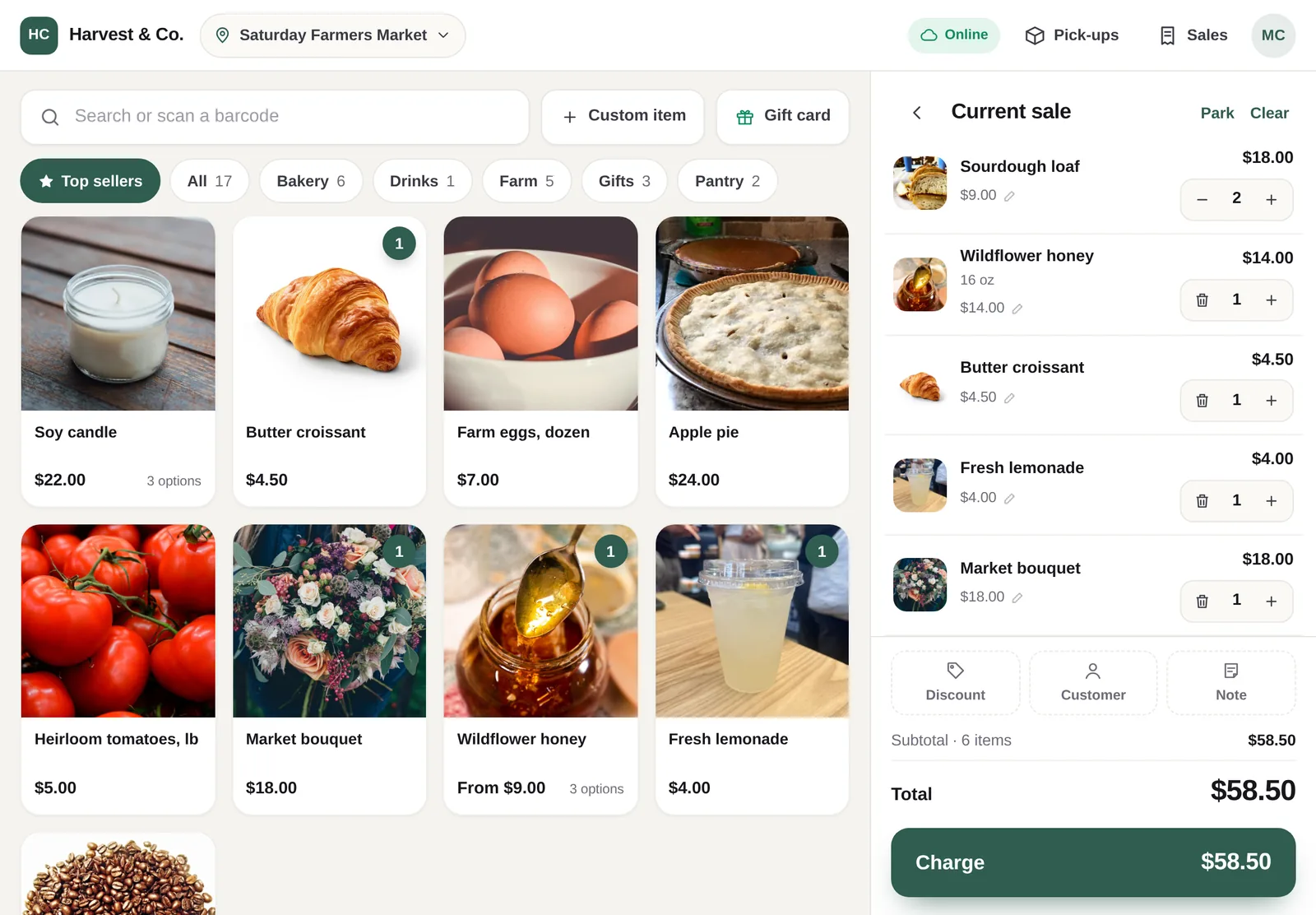
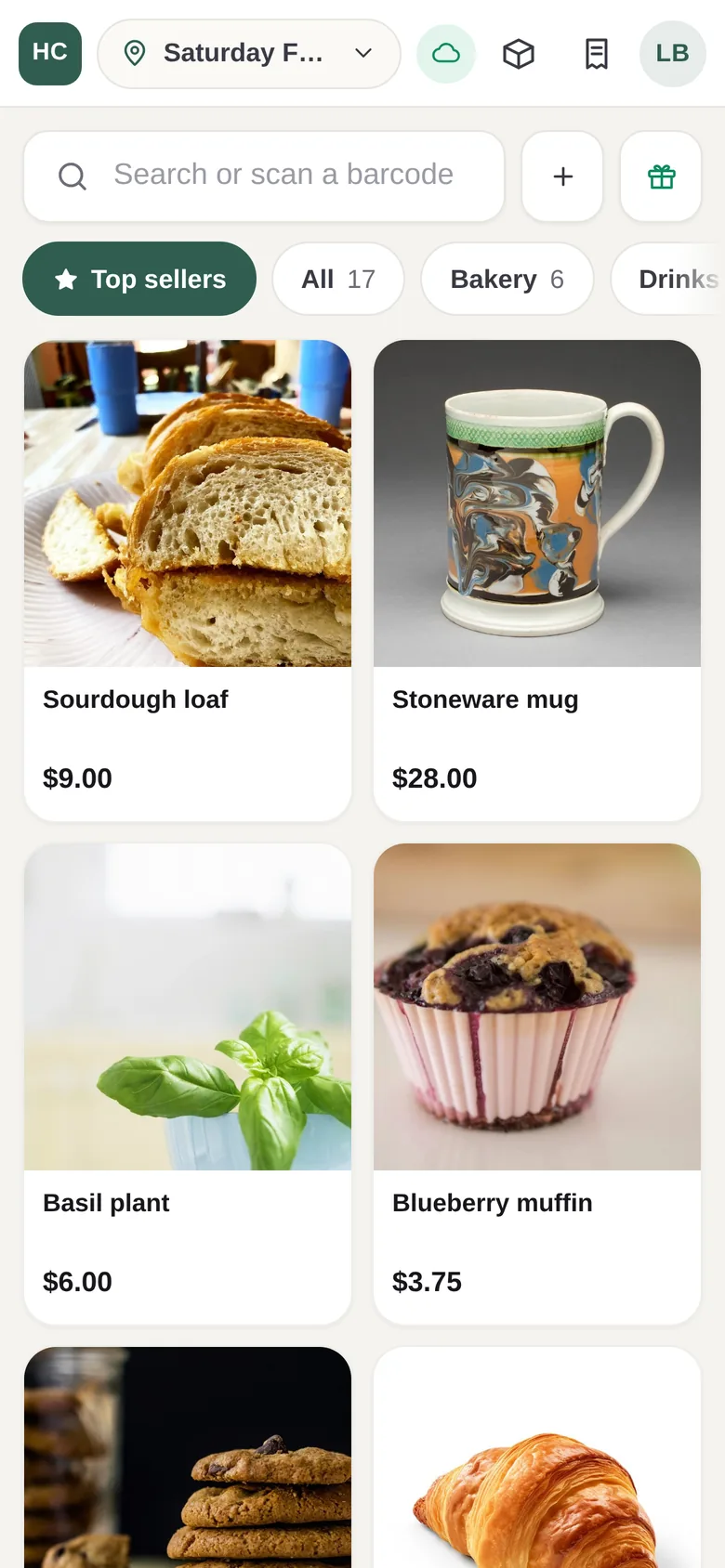
Big tiles, one tap.
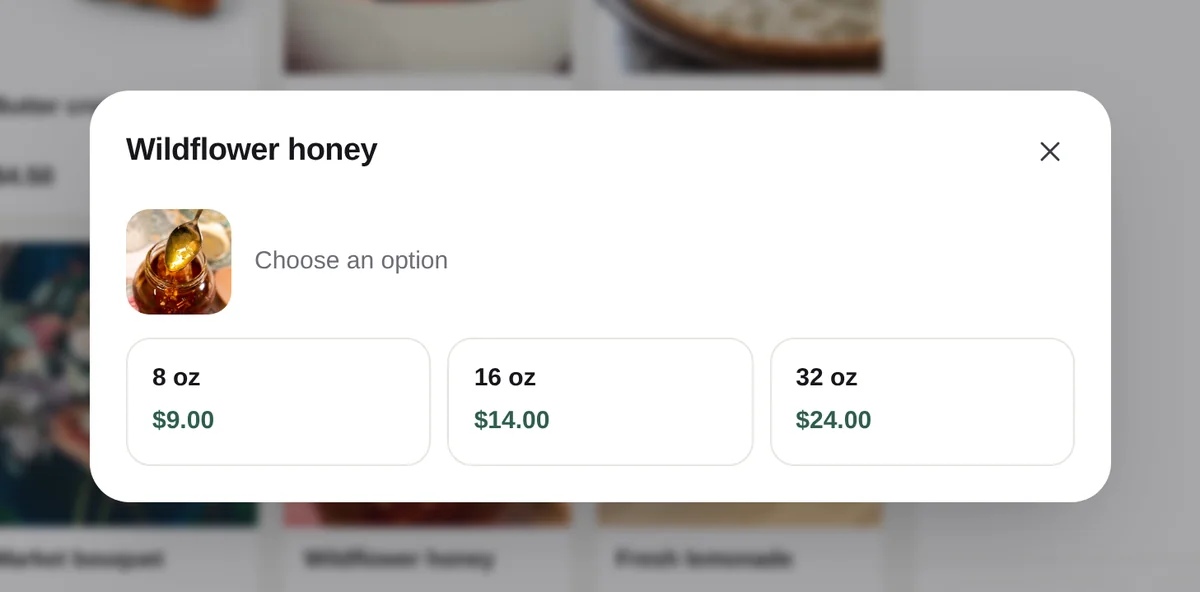
Photos, categories and a Top sellers tab put your best products first. Sizes, scents and colours open as a simple grid, and any USB or Bluetooth scanner just works.
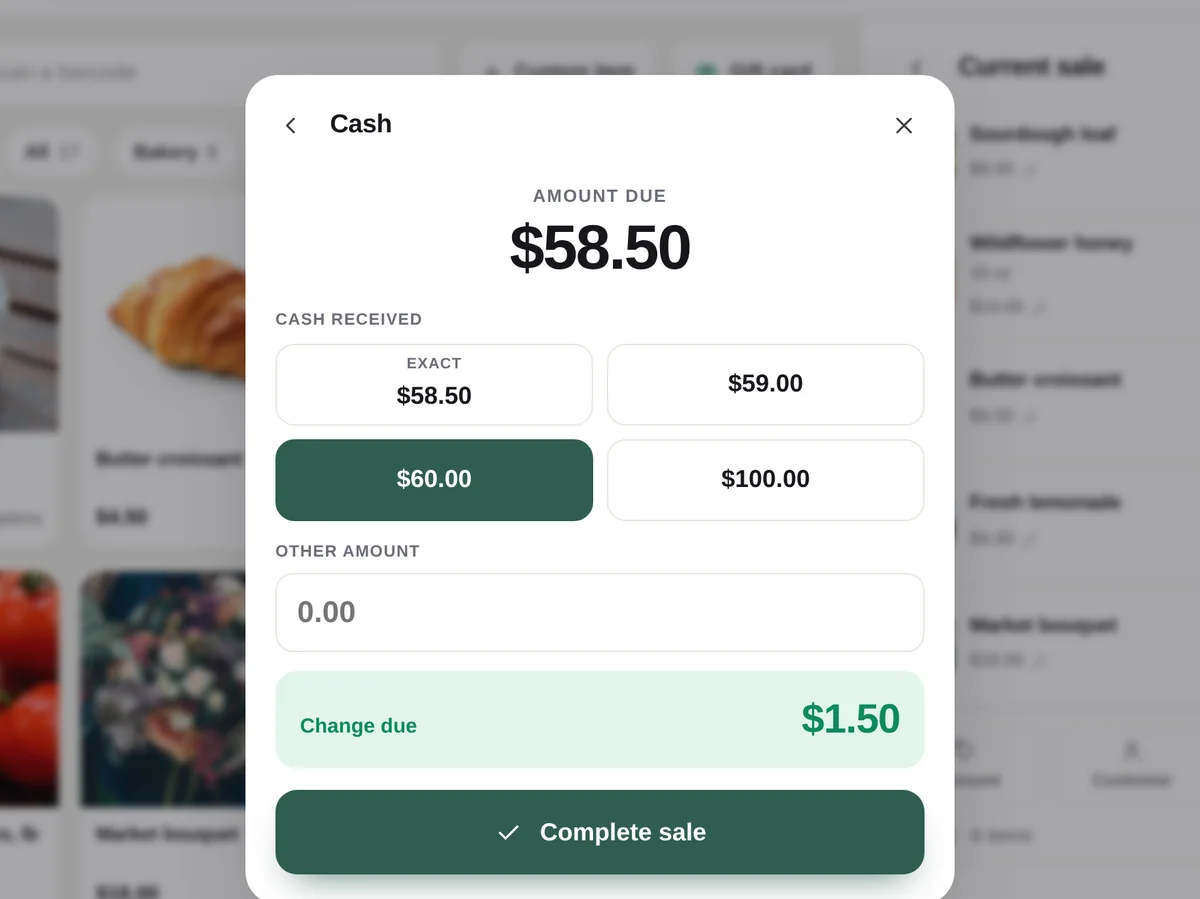
Cash, card or gift card.
Cash comes with quick amounts and the change worked out for you. Cards run on your own terminal and the cashier taps Payment approved. Gift cards can split the bill.
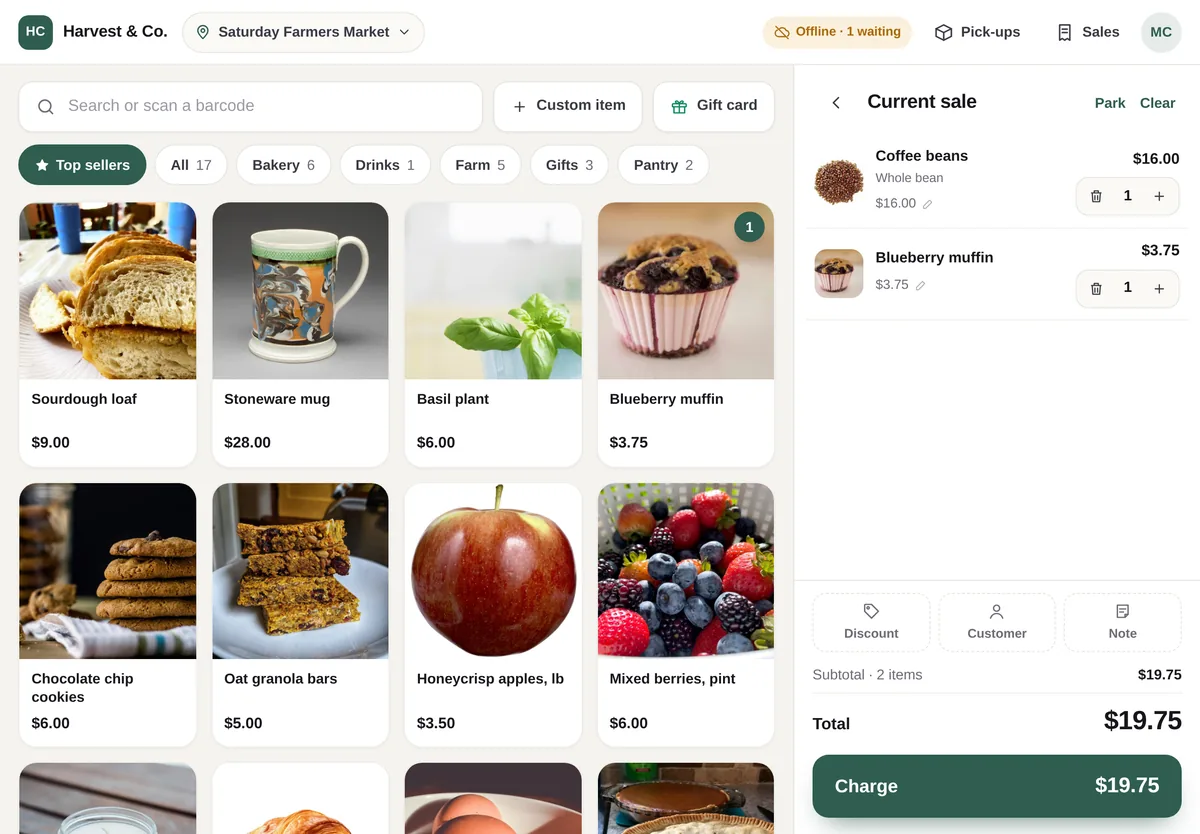
Sales wait, then sync.
When the connection drops the register keeps going. Sales are saved on the device, the top bar shows how many are waiting, and they send themselves when you are back online.
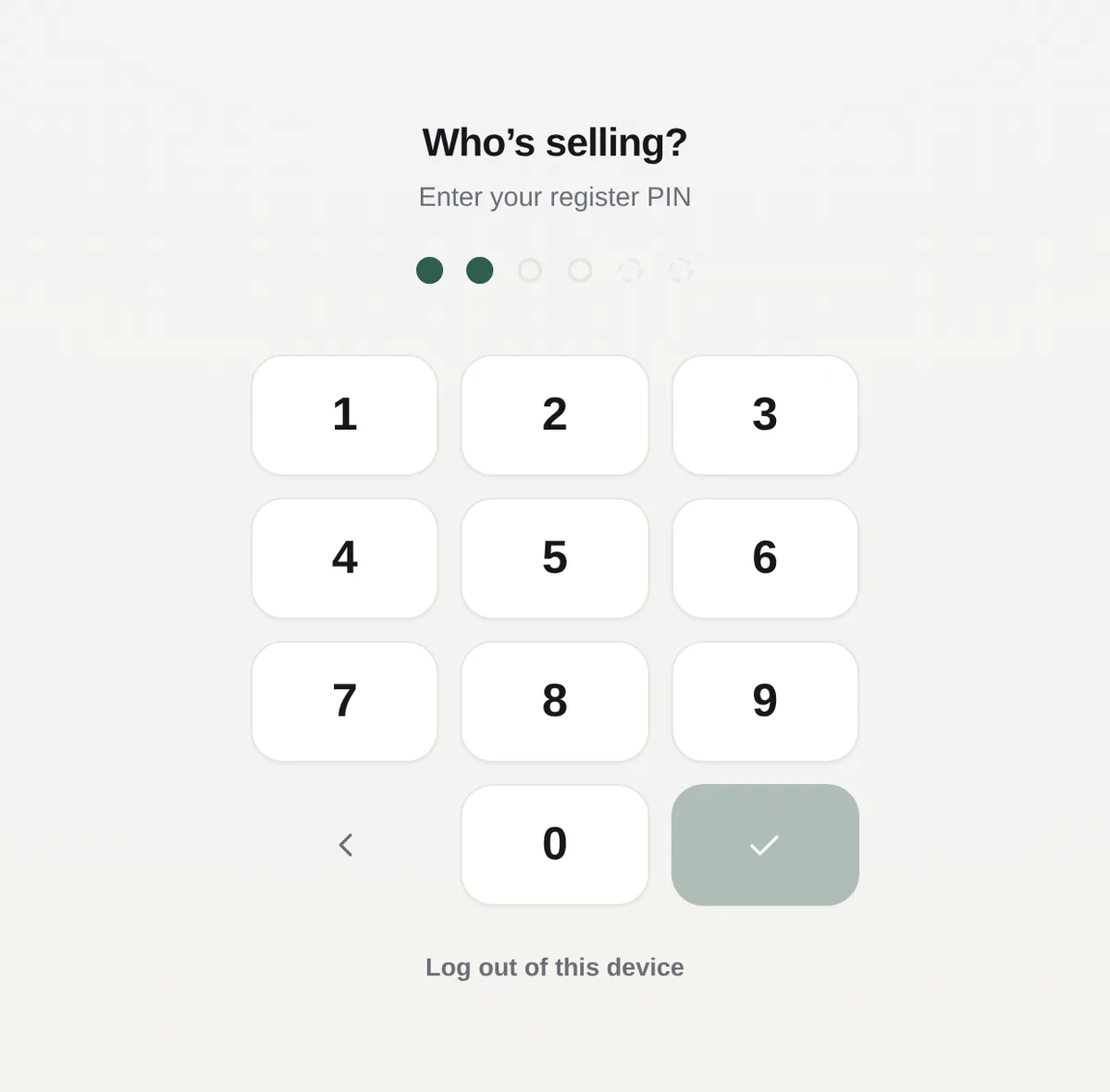
Staff switch with a PIN.
Everyone gets their own PIN, so every sale records who rang it up. Managers approve voids, refunds, price changes and big discounts with theirs.
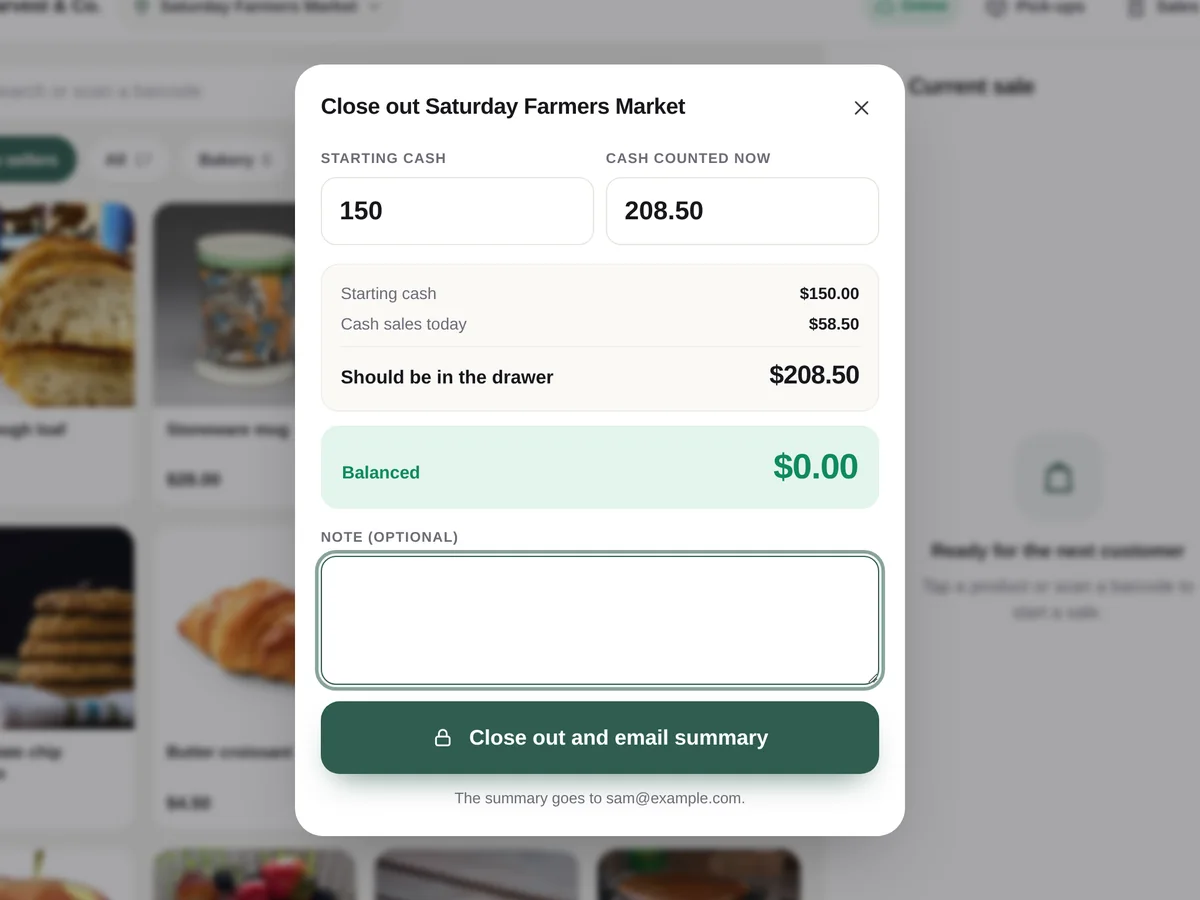
Count the drawer in a minute.
Enter your starting cash and what is in the drawer; the register shows what should be there and whether you are over or short, then emails the day to you.
A point of sale for wherever you sell.
Farmers markets
A farmers market POS has to cope with patchy signal, a line of customers and a different spot every day. Luminos POS keeps selling offline, records each market as its own location and counts what you brought.
Pop-ups and events
Set up a register on any tablet or phone in minutes, take cash or card on your own terminal, and see the day’s takings before you pack up.
Craft fairs and stalls
Big photo tiles, size and colour options and barcode scanning keep a busy stall moving, and every sale lands in the same WooCommerce store as your online orders.
Small shops
Run the counter of a shop or studio with several registers, staff PINs, returns and store credit, and online pick-up orders handed out at the till.
From install to first sale in one afternoon.
Install
Upload the plugin to your WooCommerce site. A setup wizard walks you through locations, payment types and your first cashier.
Open the register
Open Point of Sale on a tablet, phone or laptop and add it to the home screen. Your products, photos and prices are already there.
Sell
Tap products or scan barcodes, take cash, confirm the card on your own terminal, or take a gift card. Online or offline.
Close out
Count the drawer, see over or short, and get the day emailed to you. Every sale is already a WooCommerce order.
Everything a busy stall needs, nothing it doesn't.
Works offline
Sales save on the device first and sync when the connection is back, in order, never twice. A register opened once even starts with no signal.
Real WooCommerce orders
Every sale is a completed order with its location, payment type and cashier. One set of reports, one stock count.
Your own card terminal
Charge on the terminal you already use (Square, Clover, SumUp, Zettle and others) and confirm on the register. Your rates stay yours.
Cash with change
A change calculator with quick amounts, plus your own extra payment types such as Venmo.
Gift cards & store credit
Sell gift cards at the register and online, take them as payment or split with another method, and give returns as store credit.
Barcode scanning
Any USB or Bluetooth scanner works out of the box, and phones and tablets can scan with the camera.
Staff PINs
Staff switch with a PIN on a shared tablet, and every sale records who rang it up. Optional auto-lock.
Manager approval
Voids, refunds, price changes, comps and big discounts can require a manager’s PIN, checked again on the server.
Locations & tax
Record where each sale happened and tax it at that address when your store charges tax by location.
Stock per location
Load out what you bring, see what is left on every tile, and get low-stock warnings.
Online pick-ups
Orders placed online for local pick-up show up at the right location; mark them collected as customers arrive.
Returns & voids
Return some items or the whole sale, restock them, and refund to the original payment or as store credit.
Close-outs
Count the drawer, see over or short (per register when several share a location) and email the summary.
Reports & CSV
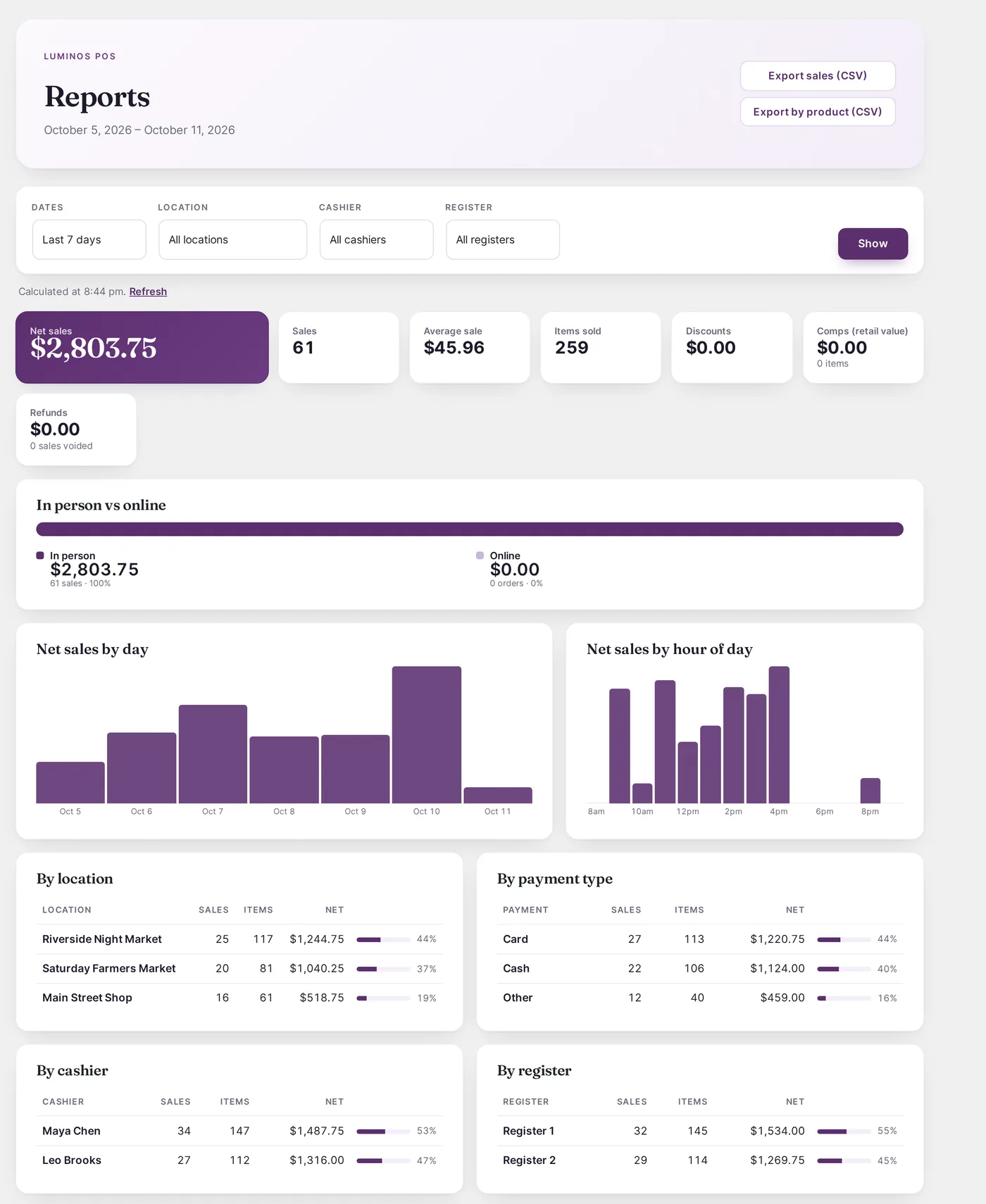
Sales by location, cashier, register, payment type, day and hour, top products, and in-person vs online.
Barcode labels
Print Avery sheets or thermal-roll labels, and give products without a barcode an SKU in one click.
Customer display & tips
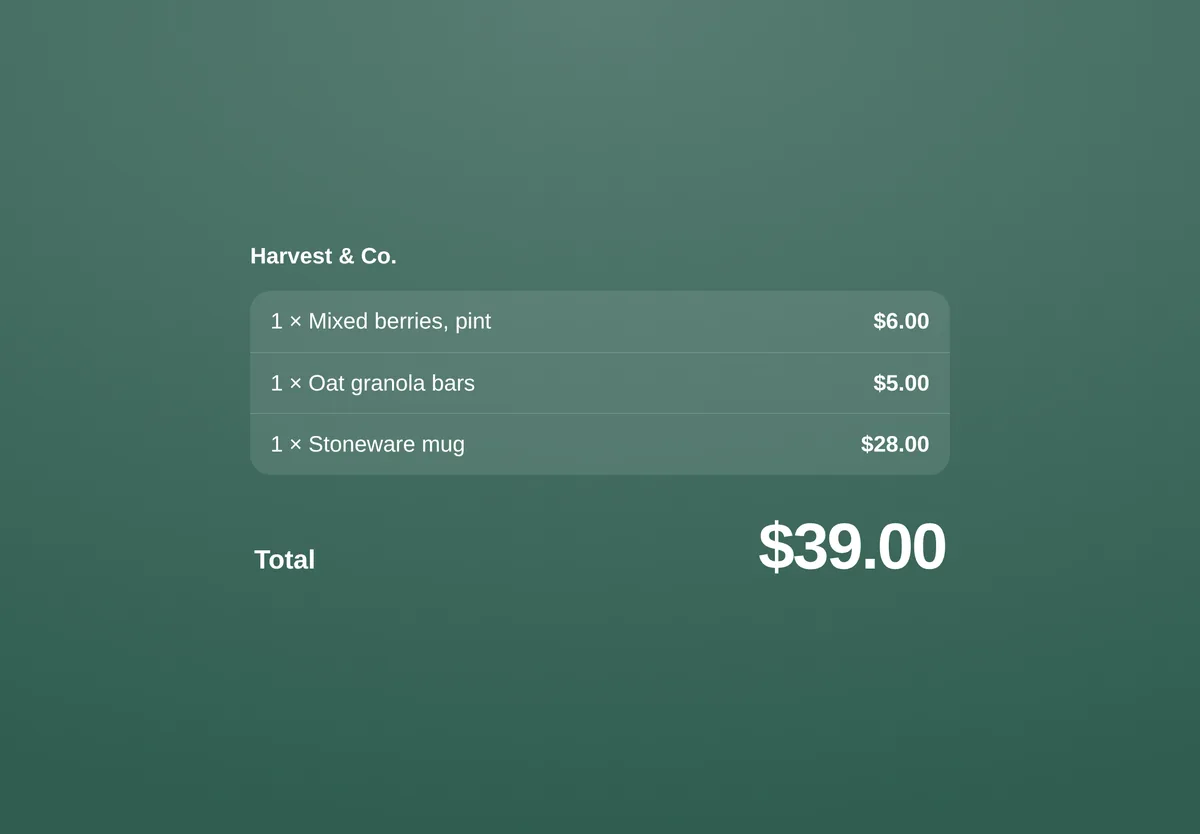
Show the order on a second tablet and let customers pick a tip.
Customers & receipts
Look up or create an account at the register, record newsletter sign-ups, and email or text the receipt.
Coupons & custom items
Your WooCommerce coupons work at the register, plus discounts, custom items, notes and training mode.
A bad signal never costs you a sale.
The register keeps your products on the device and saves every sale locally before it sends it. If the connection drops halfway, the sale waits and goes through later, exactly once, dated when it really happened. Nothing is lost when a tablet is closed or reloaded.
In-person and online, in one place.
There is no second system to reconcile. Register sales are WooCommerce orders, so your stock, customers, coupons, gift cards and reports cover both channels, and pick-up orders from your website are handed out at the register.
Hand the tablet to anyone.
Cashiers get a login that opens the register and nothing else in WordPress. Staff switch with PINs, managers approve the sensitive actions, and every sale, void and discount is recorded under the person who did it.
Priced per site, not per register.
Every plan has every feature, unlimited registers and staff, a year of updates and support.
Single Site
- One WooCommerce site
- Unlimited registers and staff
- Updates and support for a year
Studio
- Up to 5 WooCommerce sites
- Unlimited registers and staff
- Updates and support for a year
Agency
- Unlimited WooCommerce sites
- Unlimited registers and staff
- Updates and support for a year
Launch offer: 30% off your first year with code LAUNCH30, applied automatically when you choose a plan. For the first 50 stores, until December 31, 2026. Renews at the regular price.
Staging and development copies of your site don't use a seat. The register never stops working because of a licence check.
“We built it for a client who sells at farmers markets every week, where the signal comes and goes. It had to keep working when the Wi-Fi didn't.”Luminos Agency
Questions, answered.
A point of sale (POS) plugin for WooCommerce lets you sell in person, at a market, event or shop counter, from the same store you sell online. Luminos POS runs in the browser on a tablet, phone or laptop, and every sale is saved as a normal WooCommerce order, so stock, customers and reports cover both channels.
Start with how you sell. If you sell where the internet is unreliable, make sure the register keeps working offline. If you already have a card terminal, look for one that works with it instead of making you switch. Then check per-register fees, staff controls, and whether sales become real WooCommerce orders. Luminos POS works offline, works with your own terminal, and is priced per site with unlimited registers.
No. Card payments are taken on the terminal you already use, and the cashier confirms the payment on the register. You keep your current card rates and hardware, and there is no new processor to sign up for.
Keep selling. Sales are saved on the device and sent as soon as the connection is back, in order and never twice. Checking a gift card balance and loading pick-up orders need a connection.
A WordPress site with WooCommerce 6.0 or newer, and any modern browser on a tablet, phone or computer. There is no app to install; add the register to the home screen and it opens like one.
Yes. Luminos POS records cash, card and gift card payments taken in person. Cash comes with a change calculator; card payments run on the terminal you already have (Square, Clover, SumUp, Zettle and others) and the cashier confirms them on the register.
It was built for one. We made it for a client who sells at farmers markets every week, so it keeps selling without a signal, records each market as a location with its own tax and stock, and closes out each day with a cash count.
Yes, as many as you like on every plan. Give each register a name and reports and close-outs break down by register.
Any USB or Bluetooth scanner that types into the browser, and the camera on most phones and tablets. Receipts print through the device’s own printing (AirPrint and system printers); direct printing to Epson and Star network receipt printers is in beta.
No. The POS Cashier role opens the register and nothing else. Owners and managers can use the register with their normal login.
A year of updates and support for the number of sites on your plan. If you don’t renew, the plugin keeps working; you just stop getting updates.
Ready for your next market?
Set up the register this afternoon and sell with it tomorrow, signal or not.
Luminos POS for WooCommerce is made by Luminos Agency. WooCommerce and its associated designs are trademarks of Automattic Inc. WordPress® is a registered trademark of the WordPress Foundation. Square, Clover, SumUp and Zettle are trademarks of their respective owners. Luminos Agency is not affiliated with, endorsed by, or sponsored by Automattic Inc., the WordPress Foundation or any of these companies; their names are used only to describe compatibility.